New mail, the moment it lands
Snappy Mail keeps a live connection to your inbox, so new messages — and a notification — appear as they arrive. After sleep or a dropped connection it catches up straight away, and never alerts you twice.
Snappy Mail is a modern desktop email app for any IMAP account — Gmail, iCloud, Fastmail or your own domain. A clean, familiar layout, new mail the moment it arrives, and your messages never pass through anyone else's servers.

Works with Gmail · iCloud · Fastmail · Yahoo · your own domain — any IMAP & SMTP account
Everything you need, nothing you don't
All the mail handling you'd expect from a serious desktop client, in an interface that feels light, quick and familiar from day one.
Snappy Mail keeps a live connection to your inbox, so new messages — and a notification — appear as they arrive. After sleep or a dropped connection it catches up straight away, and never alerts you twice.
Work, personal, side project — read them all together in a unified inbox, with Flagged, Drafts and Sent combined too.
Type your email address and Snappy Mail finds the right server settings for you — from your provider, the Thunderbird database or your domain's mail records.
Design an HTML signature with your logo, links and colours — or paste one straight from Outlook, Gmail or a signature generator.
Follows your system theme, with seven accent colours, three densities, cards or a classic table, and the reading pane where you want it.
Replies grouped into threads, instant results as you type, then a full search of your mail server across every folder.
Five seconds to change your mind after pressing Send. Drafts save to your mail server as you type, so they're on every device.
Pin, flag, tag, archive and move — between folders or accounts — with keyboard shortcuts for the things you do most. Changes sync back to your server.
Conversations
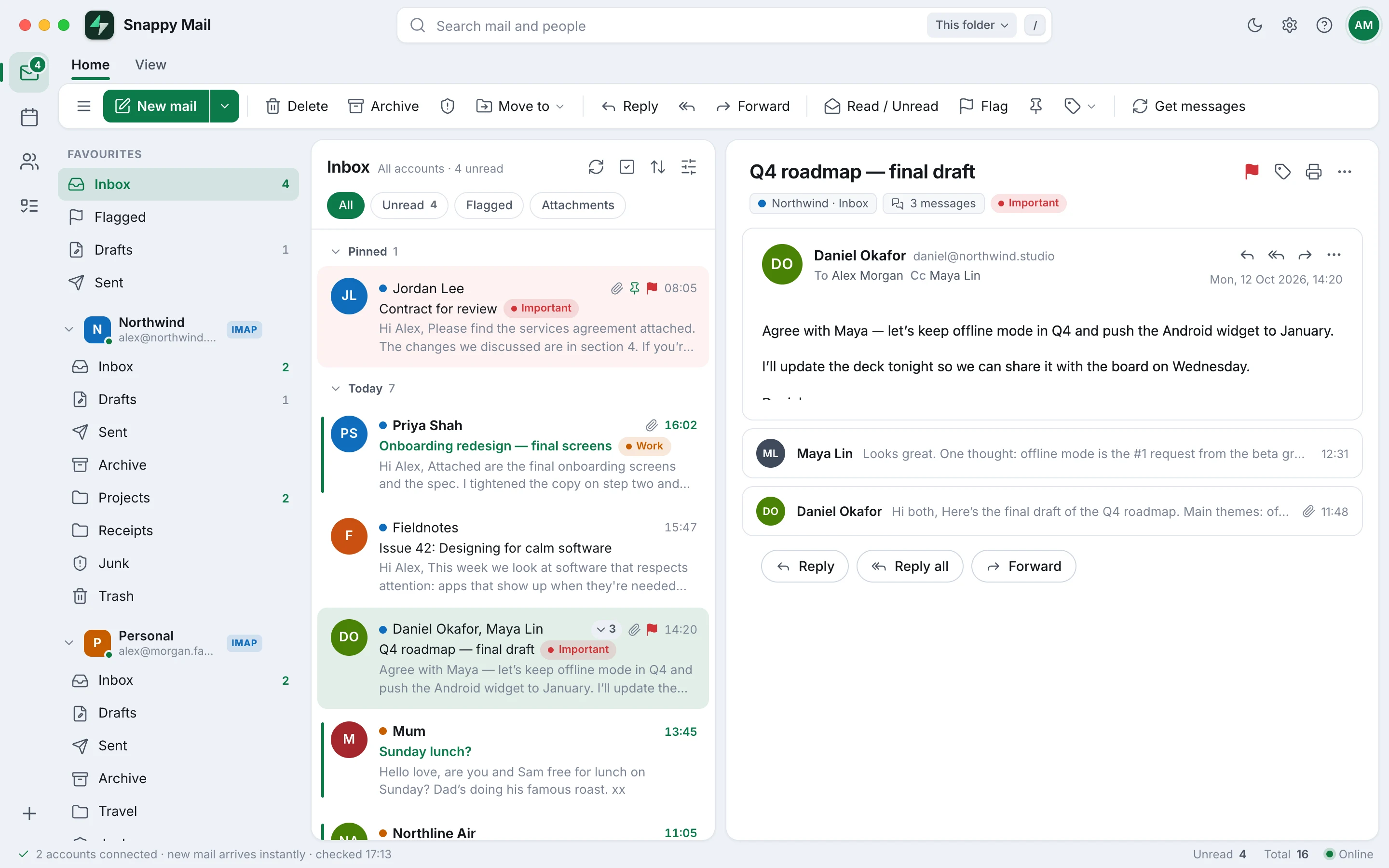
Snappy Mail threads messages the way you read them, with the latest reply open and earlier ones a click away. Pin what matters, flag what needs doing and tag anything with Thunderbird-compatible tags.
Compose
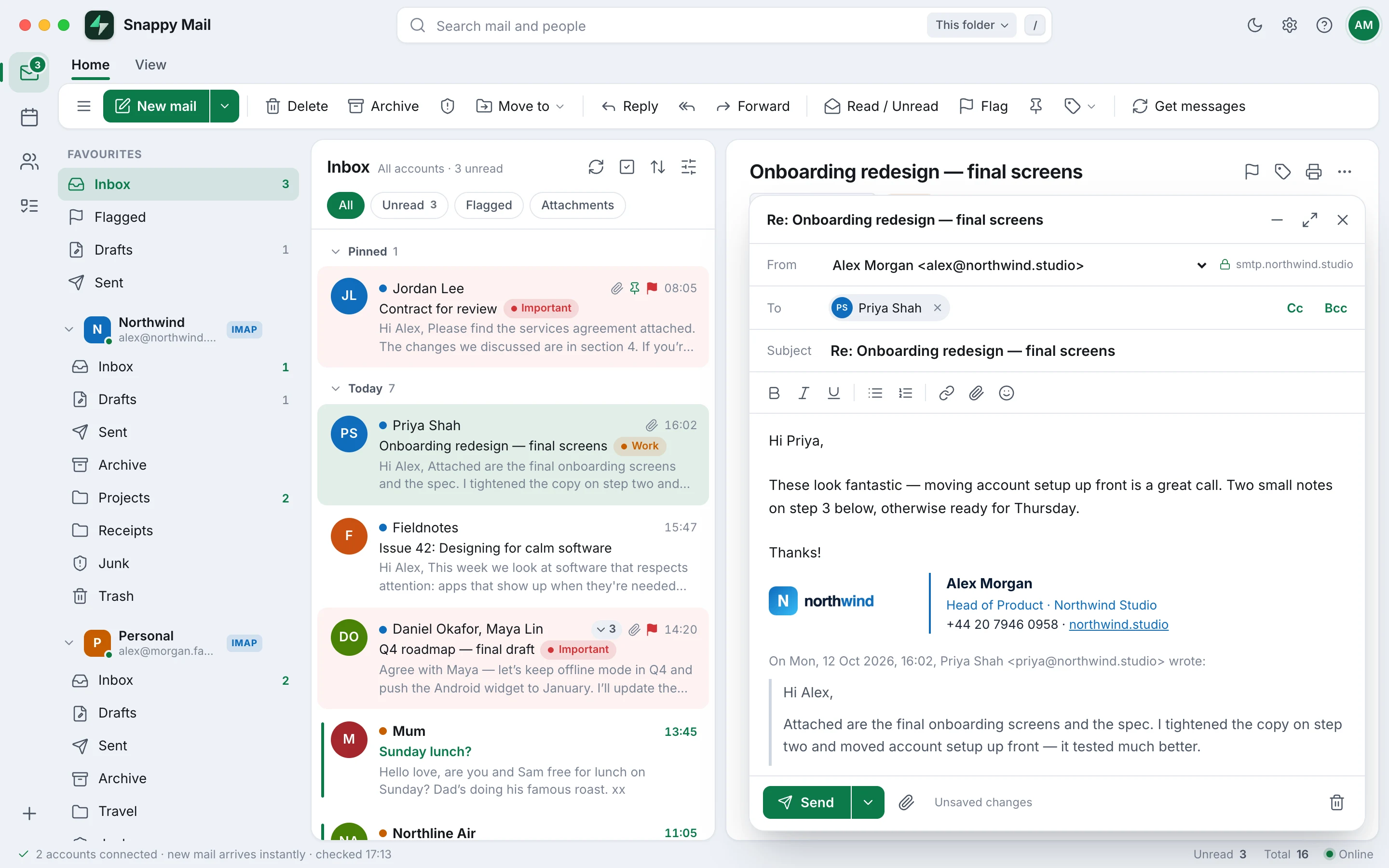
Rich formatting, attachments up to 25 MB and your HTML signature already in place. Replies pick the right account automatically, and you get five seconds to undo a send.
Setup
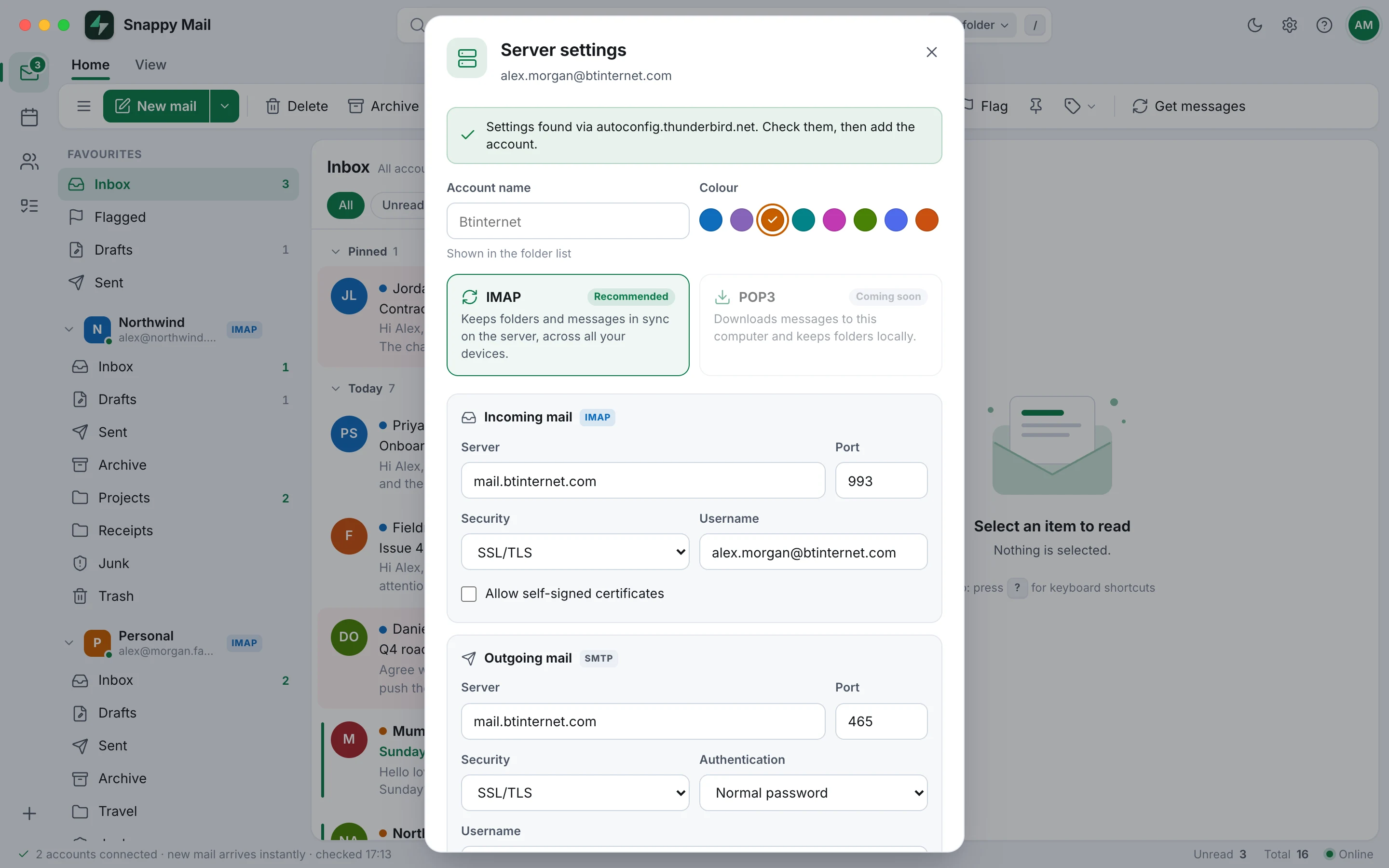
Enter your name, email address and password. Snappy Mail looks up your provider's settings, tests the connection and loads your folders — no hunting for server names.
Make it yours
Reading pane on the right, at the bottom or hidden. Spacious cards or a dense classic table. Light, dark or system, with an accent colour to match your style.


Privacy first
There's no Snappy Mail account and no cloud service in the middle. The app runs on your computer and connects directly to your own mail servers.
Messages travel straight between your computer and your mail provider, over secure SSL/TLS connections wherever your provider offers them.
Remote images — the usual way emails track you — stay blocked until you choose to show them for a message or a sender.
Emails are displayed in a locked-down sandbox where scripts and forms can't run, and risky attachments are always saved, never opened.
Your account passwords are stored encrypted on your own computer, readable only by your user account.
Snappy Mail's mail engine only answers its own window — other programs and other users on the computer can't use it.
No analytics, no telemetry and no ads. Snappy Mail doesn't report anything about you or your mail to anyone.
Download
Released 12 October 2026. One app for every desktop — pick yours below.
macOS 13 Ventura or later
Not sure? Apple menu → About This Mac. “Chip” means Apple silicon; “Processor” means Intel.
Windows 10 and 11, 64-bit
Installs in a few seconds for your user — no admin password — and adds Start menu and desktop shortcuts.
64-bit Intel/AMD (x86_64)
Linux install guide — double-click the .deb, or extract the .tar.gz and run ./install.sh.
This early version isn't code-signed yet, so your computer double-checks it once:
Mac — open Snappy Mail, choose Done, then go to System Settings → Privacy & Security and click Open Anyway.
Windows — if SmartScreen says “Windows protected your PC”, choose More info → Run anyway.
Linux — no warnings. The .deb sets everything up; install.sh may ask for your password once.
Compare with shasum -a 256 <file> on Mac and Linux, or Get-FileHash <file> in Windows PowerShell. Also available as SHA256SUMS.txt.
Questions
Any account that offers IMAP and SMTP, which is almost all of them: Gmail, iCloud, Fastmail, Yahoo, AOL, Zoho, most internet providers and hosting companies, and your own mail server. Gmail, iCloud, Yahoo and Fastmail ask you to create an app password to use instead of your normal one; Snappy Mail shows you where when you add the account.
Not yet. Microsoft only allows browser sign-in (OAuth) for those mailboxes, which is coming in a future version.
Your mail stays on your mail provider's servers, exactly where it is today, so it stays in sync with your phone and webmail. Snappy Mail keeps only your account settings on your computer, with passwords encrypted.
Mac and Windows show a one-time check for apps that aren't code-signed yet, which is normal for early releases. The steps above get you past it. You can also check your download against the SHA-256 checksums listed above.
IMAP is supported today. POP3, which downloads mail to your computer, is coming soon.
Download the latest version from this page and install it over the old one. Your accounts and settings are kept.

Download Snappy Mail for Mac, Windows or Linux and add your first account in a minute.
Download Snappy Mail